Cash can be one of the messiest parts of money management — it disappears quickly, it’s easy to forget what it was spent on, and it doesn’t automatically link back to your accounts.
With the launch of Moorr’s new Transactions Feed, we’ve introduced a simple and smart way to handle cash activity so your budgeting remains accurate and your insights stay meaningful.
In this quick walkthrough, Moorr Product Manager Alric explains how cash withdrawals, deposits, and manual cash expenses work inside the platform.
Watch the Full Demo
Want to see exactly how it works?
Alric walks through real examples of cash withdrawals, cash spending, and cash deposits in this video:
🎥 Cash on Hand Transactions Explained
Why Cash Needs Special Handling
Every transaction in Moorr needs a source.
That’s easy when it comes from a bank account or credit card.
But what about:
- ATM withdrawals
- Cash-out at the supermarket
- Cash-only purchases (like the local barber or florist)
- Side-hustle cash income
- Petty cash floating around in your wallet
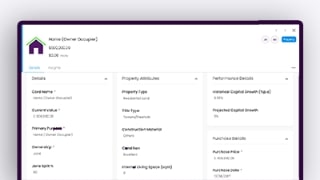
That’s where the Cash on Hand asset card comes in.
Moorr automatically detects when money leaves or enters an account as cash, then recommends sending it into your Cash on Hand card so you can track it properly.
How Cash Withdrawals Work
Let’s say you withdraw $300 from your bank account.
You don’t know exactly what you’ll spend it on yet — maybe some personal care, a coffee here and there, or small weekend purchases.
Moorr identifies the withdrawal as “cash activity” and prompts you to allocate it to Cash on Hand.
From there, you can:
- Leave it sitting as unspent cash
- Gradually allocate it as you spend (e.g., $50 haircut → Personal Care)
- Reconcile it over time as purchases become clear
This gives you full visibility, without forcing you to categorise everything on the spot.
How Cash Spending Is Recorded
When you do know what the cash was used for, it’s simple.
For example:
- You spent $50 cash on a haircut → allocate it to Personal Care
- You withdrew cash at the supermarket and used $50 to pay a florist → allocate directly to Presents & Gifts, not Cash on Hand
Moorr lets you move cash transactions out of the Cash on Hand card whenever you know the true category.
This helps keep your budgeting accurate and your spending insights clean.
Handling Cash Deposits
Cash deposits can come from all sorts of places:
- A bit of petty cash found in a drawer
- Reimbursed cash from a friend
- Side-hustle income (e.g. a $1,000 electrician job paid in cash)
Moorr gives you flexibility:
- If it’s not income, simply record it as “cash received”
- If it is income, you can allocate it directly to your Income category
Either way, your cash flow reflects reality.
When You Should Use Cash on Hand
Use Cash on Hand when:
- You’ve withdrawn money but don’t yet know how it’ll be spent
- You want a holding place for petty cash
- You want to reconcile cash slowly over time
- You want transparency for cash-only spending
Skip Cash on Hand and allocate directly when:
- You know immediately what the cash was spent on
- You’re recording side-hustle or personal business income
- You’ve deposited cash for a specific purpose
Moorr gives you the flexibility to handle both.
Start Managing Your Money With More Clarity
Cash is one of the easiest ways for spending to slip through the cracks — but not anymore.
With Moorr’s Transactions Feed and Cash on Hand tools, you can finally treat cash with the same accuracy as digital spending.
If you haven’t explored Transactions yet, jump in and try it now:
👉 https://www.moorr.com.au/transaction-feeds/
Or create your Free Moorr Account to get started!