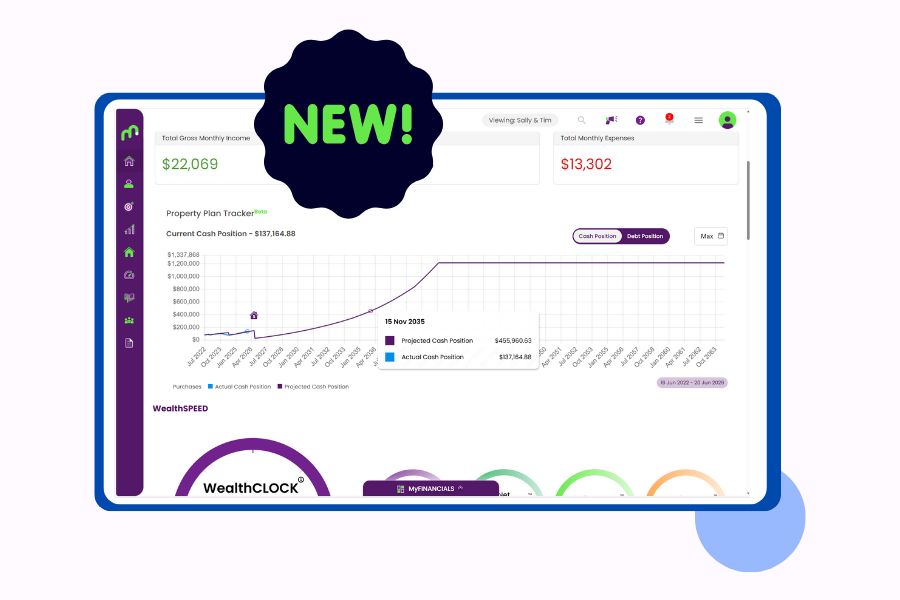
In the newest addition of property focused features, we’re introducing another key enhancement to help you understand the true cost and performance of your properties. Acquisition Costs has been rolled out in Moorr!
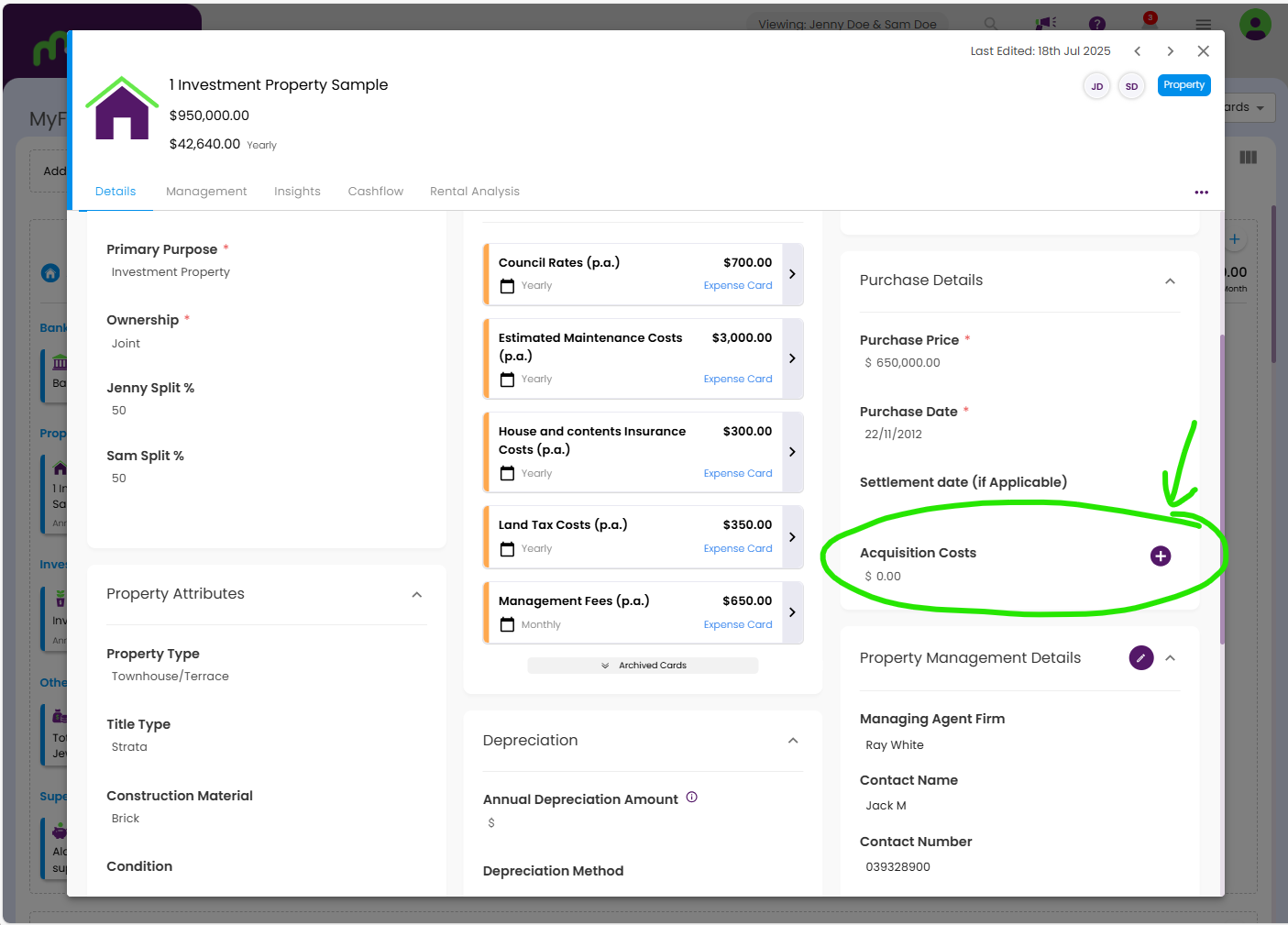
This new feature will allow you to record the detailed costs of purchasing each property directly within the Purchase Details section of your property asset card.
Why Acquisition Costs Matter
When you buy a property, the price on the contract is only part of the story.
There are many additional costs involved in purchasing and they all form part of the money you’ve put into that asset. These “hidden” costs are critical for:
- Tax and compliance – Many acquisition costs may form part of your capital gains tax (CGT) cost base or be deductible over time. Storing them clearly against the property makes life much easier at tax time and when working with your accountant.
- Performance tracking – If you only look at purchase price versus current value, you’re missing part of the picture. Including acquisition costs gives you a more accurate view of your true returns, equity position, and yield on cost.
- Better decision-making – Clear visibility over “all-in” purchase costs helps you compare deals, refine your buying strategy, and understand what’s worked well (and what hasn’t) over time.
The data captured in Acquisition Costs will be used in future Moorr features focused on tax, property performance, and strategy insights.
What Counts as an Acquisition Cost?
Every purchase looks a little different, but common acquisition costs can include things like:
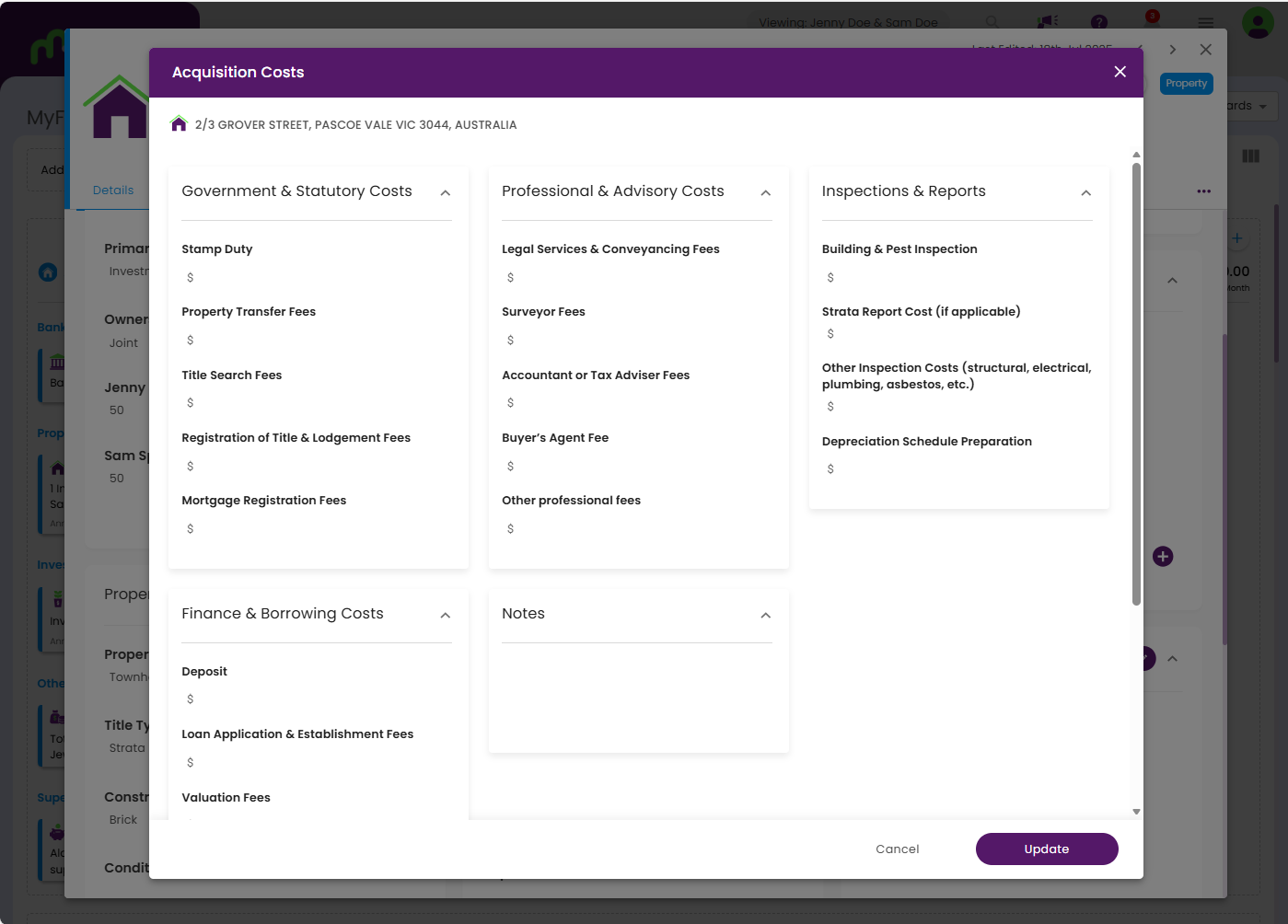
- Government & Statutory Costs – stamp duty, transfer fees, title searches, registration and lodgement fees, mortgage registration fees.
- Professional & Advisory Costs – legal and conveyancing fees, surveyor costs, accountant or tax adviser fees, buyer’s agent fees, and other professional services connected with the purchase.
- Inspections & Reports – building and pest inspections, strata reports, specialist inspections (structural, electrical, plumbing, asbestos, etc.), and depreciation schedule preparation.
- Finance & Borrowing Costs – loan application or establishment fees, valuation fees, settlement fees, mortgage setup or discharge fees if refinancing as part of the purchase, and other borrowing expenses.
By consolidating these into one structured area in Moorr, you’ll have a much clearer, cleaner picture of what each property truly cost you to acquire.
How to add a Property’s Acquisition Cost?
It’s simple! Here’s a step by step instructions:
- Log in to your Moorr account (or create a free account) here
- Head to MyFinancials and look for your Property Card.
- Once you’ve opened the card, look for Purchase Details on the right. You’ll see Acquisition Costs.
- Click on the (+) icon next to Acquisition Cost
- And pop up will appear where you can fill in the details.
- Click update and it’s saved! See Screenshots below for more reference.
How Moorr Helps You Stay Organised
Instead of spreading this information across emails, spreadsheets, and PDF statements, Moorr brings it together:
- Centralised – All acquisition costs live with the property itself, alongside purchase price, purchase date and other key details.
- Structured – Costs are grouped into logical categories so you can see at a glance where the money went (government charges, professionals, inspections, finance, etc.).
- Future-ready – The information you enter now will automatically flow into future Moorr tools that help you track performance, assess your strategy, and prepare for potential sale events.
Think of it as building a digital “settlement file” inside Moorr that you can reference any time, from anywhere.
Acquisition Costs is another step toward making Moorr the single source of truth for your property data – from purchase, to performance, to long-term strategy.
Stay tuned… your property’s true cost base is about to get a whole lot clearer.