Reducing debt is often one of the most powerful ways to improve your financial position.
Setting debt reduction goals helps you track outstanding loan balances, measure progress and understand whether additional repayments may be required to reach your desired target sooner.
Whether you’re focused on becoming debt-free or reducing a mortgage balance over time, Dynamic MyGOALS can help create a clearer pathway towards that outcome.
What You’ll Learn
- Creating a Debt Reduction Goal
- Linking loans to your goal
- Setting target balances
- Understanding debt reduction progress
- Calculating additional repayments
Why This Feature Matters
Debt repayment isn’t always about eliminating a loan completely.
Sometimes the goal is reaching a specific milestone, reducing repayments or increasing financial flexibility. Dynamic MyGOALS helps you understand what it may take to get there.
Quick Guide: Reducing Debt Faster
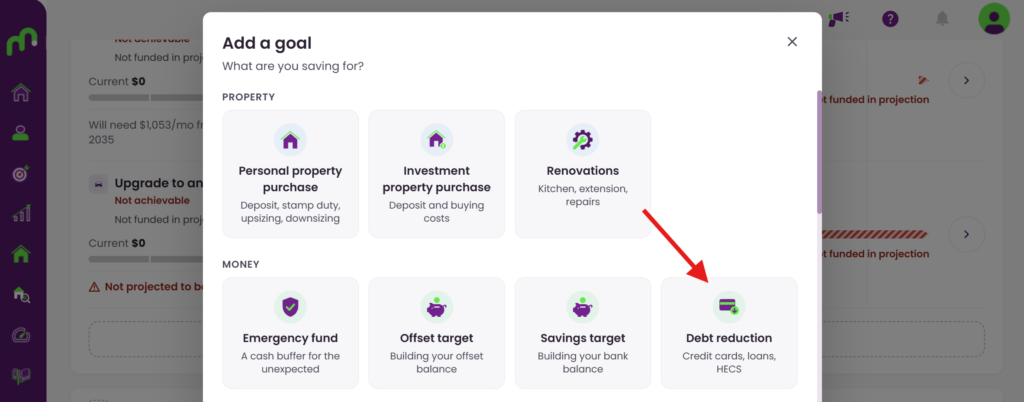
Step 1: Select Debt Reduction Goal
Create a goal, and select ‘Debt reduction’ from the Money category.
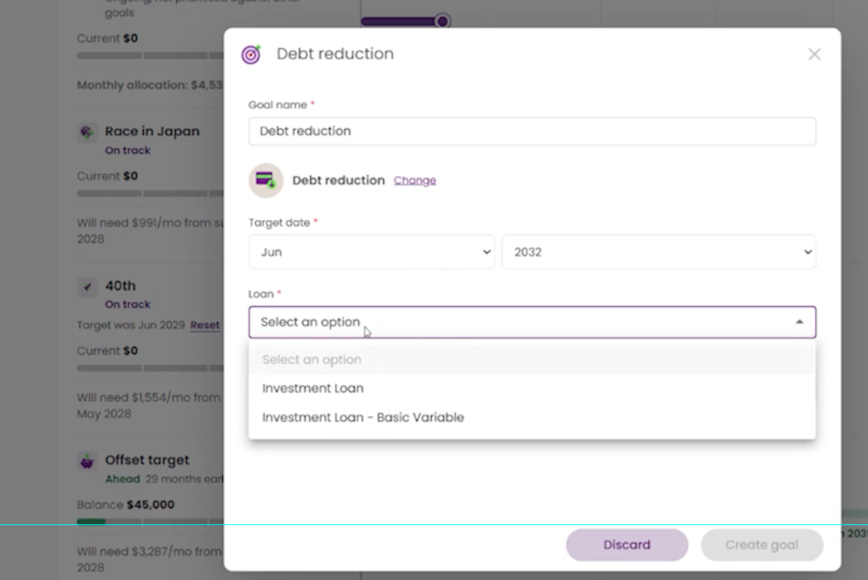
Step 2: Link Loan and Set a Target Balance
Select which loan you’d like to focus on, and choose whether you want to partially reduce the debt, or completely.
Step 3: Review repayments
See whether additional repayments are required to achieve your goal, and monitor your loan reduction over time.