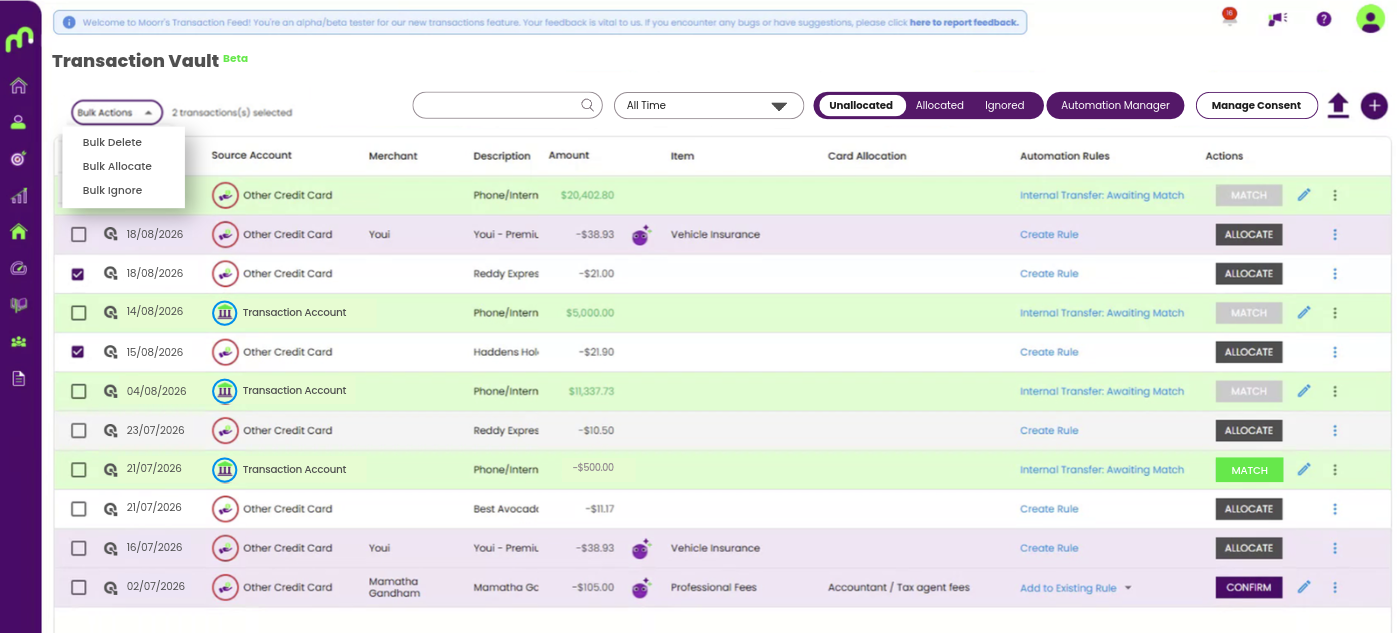
When your transactions are added to Moorr, whether through Open Banking or a CSV import, you’ll see them grouped into three states at the top bar: Allocated, Unallocated and Ignored.
Here’s what each one means and what you should do with them.
Allocated
An Allocated transaction has been assigned to a specific financial card in Moorr. Most commonly, that will be an expense card, such as Groceries or Utilities, but transactions can also be allocated to income, assets or borrowings.
Transactions can be:
- Automatically allocated using Rules; or
- Manually allocated by you.
For expenses, allocated transactions contribute to the Actual Expenses shown on your expense cards. This makes it easier to compare what you planned to spend with what you’re actually spending.
Unallocated
An Unallocated transaction hasn’t yet been assigned to a financial card. This can happen for a few reasons. For example:
- The transaction description may be too ambiguous for Moorr’s AI to confidently categorise.
- There may be conflicting Rules.
- You may have multiple financial cards that could potentially match the transaction.
For example, Moorr may recognise a Woolworths transaction as Groceries. But if you have two relevant cards, such as John’s Groceries and Mary’s Groceries, it may not know which one you want the transaction allocated to.
You can allocate the transaction manually or create a custom Rule with additional criteria so similar transactions can be handled automatically in future.
Ignored
An Ignored transaction is one you don’t want included as part of your household cash flow. Not every transaction needs to contribute to your household budget. For example, you may have transactions that you simply don’t want counted in your income or expenses.
If a transaction doesn’t have a place in your household budget, you can Ignore it.
For transactions brought into Moorr through Open Banking, they form part of the data feed received from your bank and therefore can’t simply be deleted. Instead, you can ignore transactions you don’t want included in your household cash flow.
If there are certain transactions you regularly want to exclude, you can also create a custom Rule to automatically ignore them based on criteria you choose.
A simple way to remember it
Allocated = It has a home.
Unallocated = It still needs a home.
Ignored = You don’t want it counted.
Keeping on top of your unallocated transactions and setting up Rules for recurring transactions can help keep your Moorr data cleaner and give you a more useful picture of your household cash flow.