Note: Open Banking is coming to Moorr in 2027. This article has been published in preparation for the release, so you can get familiar with how it works ahead of time.
Want to be one of the first to know when it’s available? Join the waitlist here: Open Banking on Moorr
When you connect your bank accounts to Moorr through Open Banking, you stay in control of your consent.
You can review your connected banks, add another institution or withdraw consent at any time.
Where do I manage my consent?
In Moorr, go to either:
Transaction Vault → Manage Consent (top right)
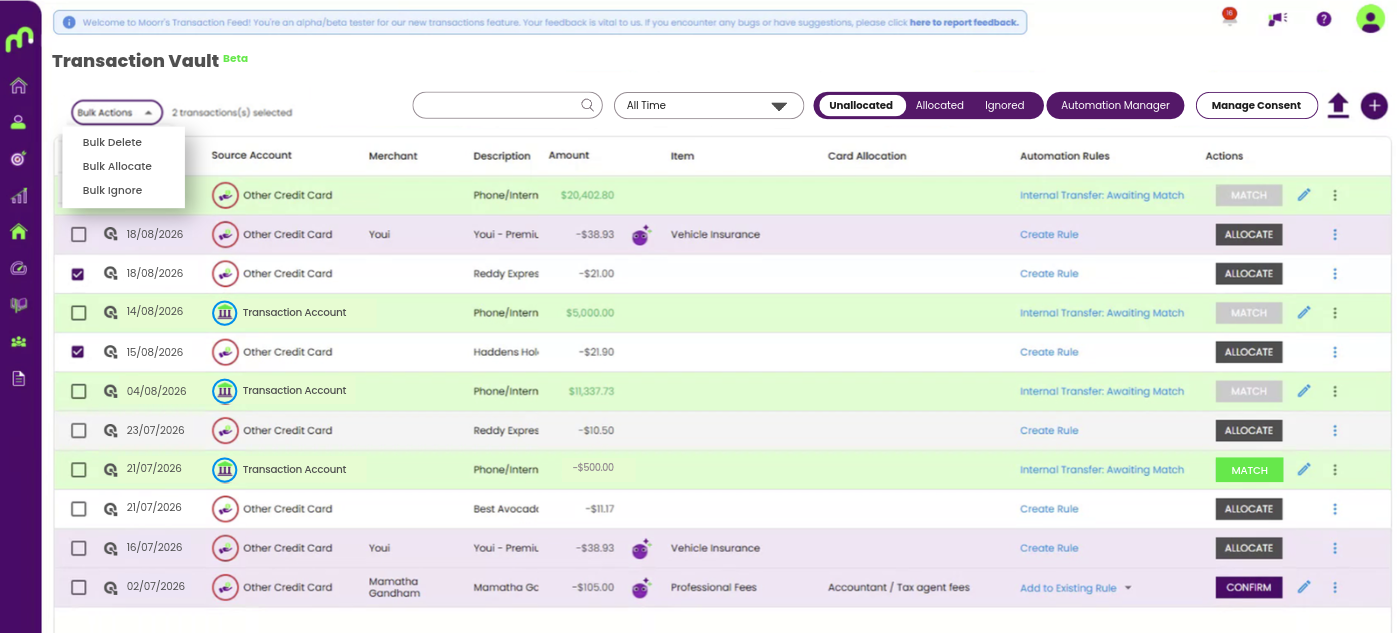
or:
Settings → Transactions → Manage Consent
From here, you can:
- see which banks and accounts are connected
- check when each consent expires
- choose which accounts you want transactions imported from
- connect another bank
- review or revoke an existing consent
How do I revoke consent?
If you want to stop sharing data from a connected bank:
Step 1: Open Manage Consent
Go to: Transaction Vault → Manage Consent
Step 2: Review the bank connection
Find the bank connection you want to stop sharing and select Review consent. You’ll be redirected to Basiq to confirm the change.
Step 3: Choose what happens to your existing information
Once you return to Moorr, you’ll be asked what you want to do with the information already in your account.
You can choose:
- Keep all data
Your existing information stays in Moorr. - Keep Budget Information Only
Your transaction details are deleted, while your budgets and summaries are kept.
If you want your information deleted entirely, read: How to delete your own Moorr account
Step 4: Confirm
Once confirmed, no further data will be shared through that consent and the bank connection will stop updating.
Can I reconnect later?
Yes.
If you change your mind, you can reconnect by giving a new Open Banking consent.
Go to: Manage Consent → Connect New Bank
Then select your bank, follow its prompts and choose the accounts you want to share.
When you return to Moorr, you can map those accounts to your existing Moorr accounts or create new ones. Mapping them to existing accounts can help avoid creating duplicate cards or loans.
What if I only want to stop one account?
You don’t necessarily need to revoke the entire bank connection. From Manage Consent, you can untick accounts you no longer want transactions imported from while leaving other connected accounts in place.
Want to know more about Open Banking consent?
For more detail on how consent works, what happens when it expires and how your existing information is handled, visit our full:
Open Banking Consent Knowledge Base