Note: Open Banking is coming to Moorr in 2027. This article has been published in preparation for the release, so you can get familiar with how it works ahead of time.
Want to be one of the first to know when it’s available? Join the waitlist here: Open Banking on Moorr
If you and your partner manage money together, connecting both sides of the household can give Moorr a clearer picture of your income, expenses, transfers and overall cash flow.
Why connect your partner’s accounts?
If Moorr can only see your accounts, it may only see one side of your household money movements.
For example, a transfer from your account to your partner’s account may look like money leaving the household if their account isn’t connected.
Bringing both sides together can help Moorr build a more complete household picture and better recognise internal transfers.
How does your partner connect their bank accounts?
If your relationship status in Moorr is married or de facto, you’ll be prompted to invite your partner after you connect your own bank accounts through Open Banking.
Your partner can then:
- create their own Moorr login
- access the same household account
- connect eligible bank accounts held in their name
- provide their own Open Banking consent
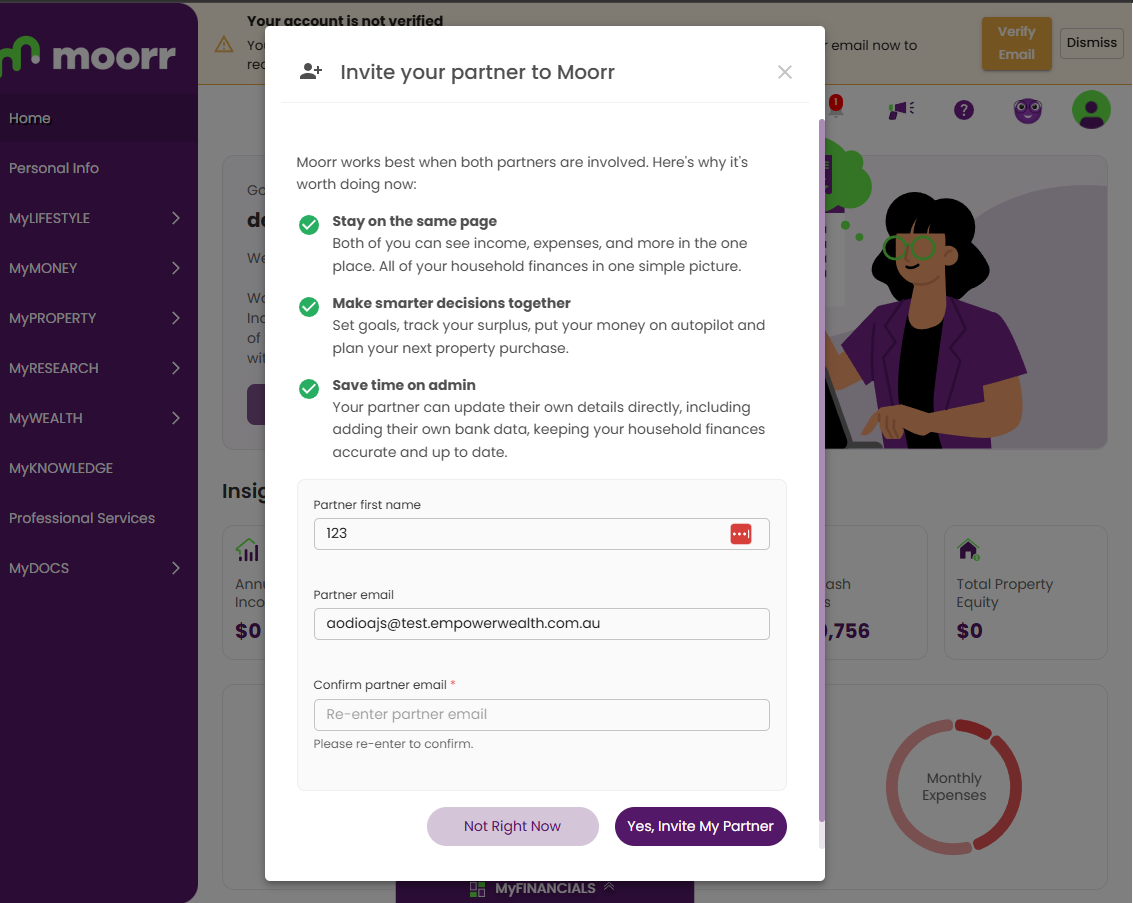
If you skip the invitation during setup, you can invite them later through Personal Info.
Need help with that? See our step-by-step guide:
How to Enable Login Access for a Secondary User in Moorr
What about joint bank accounts?
If you share a joint bank account, you generally don’t need to connect the same account twice.
Once the eligible joint account is connected, it can form part of your household view in Moorr.
Your partner would still need to connect any other eligible accounts held solely in their name if you want those included too.
Do we need to connect every account?
No. You choose which eligible accounts you want to share with Moorr.
Just keep in mind that if Moorr can only see one side of a transfer between you and your partner, that transaction may remain Unallocated.
If you know it’s an internal transfer and don’t want it affecting your spending figures, you can set it to Ignored.
If you later connect your partner’s account, you can move the transaction back to Unallocated so Moorr can reassess it.
One household, one clearer picture
Connecting both partners’ eligible accounts can help Moorr give you a more complete view of your household finances.
That means better visibility over:
- income
- expenses
- transfers
- cash flow
- your overall financial position