Need to remove login access for a secondary user in Moorr?
You can do this from the Moorr web app (log in here) in just a few clicks.
Here’s how.
- Go to the Personal Info page
Log in to the Moorr web app and head to your Personal Info page.
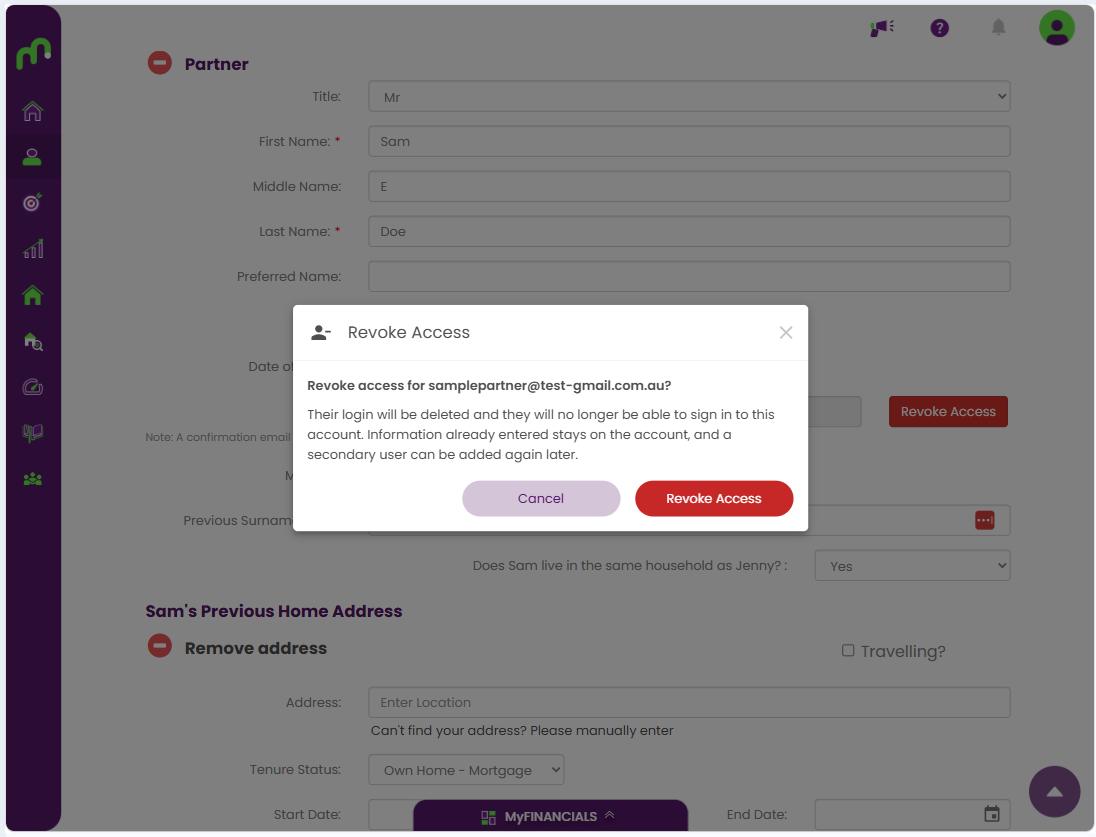
Scroll to the secondary user whose login access you want to remove. If login access has already been enabled, you’ll see a red Revoke Access button next to their email address.
Note: Secondary user access can currently only be revoked from the Moorr web app.
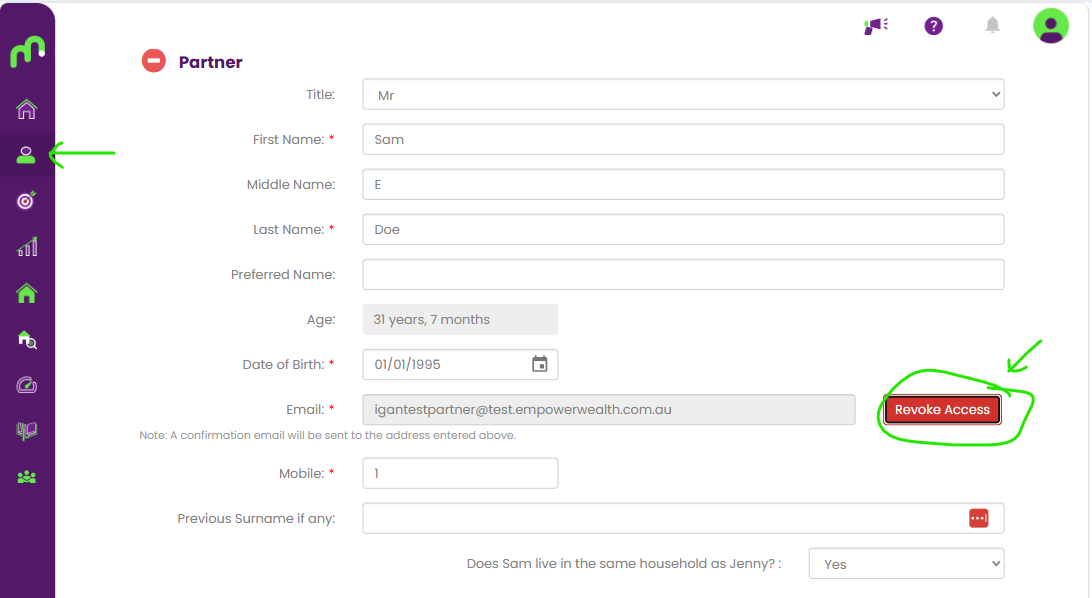
- Click ‘Revoke Access’
Select the Revoke Access button.
This will open a confirmation pop-up so you can review what will happen before continuing.
- Review the confirmation message
Before you confirm, Moorr will let you know that:
- the secondary user’s login will be deleted
- they will no longer be able to sign in to the account
- any information already entered will remain in the account
- the secondary user can be added again later if needed
If you’re happy to proceed, click Revoke Access.
What happens next?
Once access is revoked, the secondary user will no longer be able to log in to your Moorr account using their email address.
Any information already held in the account will stay there — revoking access does not remove previously entered information.
Need to enable access again?
If you’d like to give them access again, you can re-enable their login from the same Personal Info page.
Learn how to enable login access for a secondary user here >